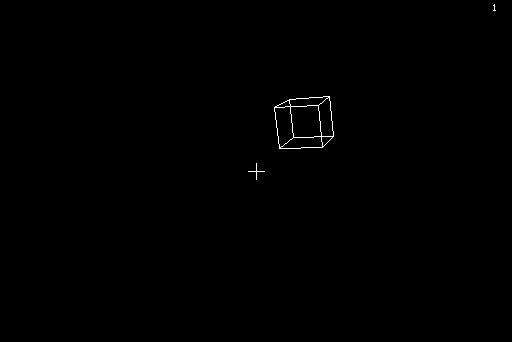
A wireframe 3D space shooter. Cubes tumble towards you out of a starfield; shoot one and it breaks into three tetrahedra, shoot those and they explode. One hit and it is over - how long do you survive?
- Made for
- Macintosh 512K (64K ROM), System 3.2
- Written in
- 68000 assembler: 3,493 lines, plus sound data made by a Python script
- Size
- 33 KB, sounds included
- Speed
- 30 frames per second
- Built with
- mac68k-asm and mac68k-disk
- Year
- 2026
- Runs on
- Macintosh 128K, 512K or Plus; System 3.2 or later; 400K floppy
Wireframe cubes come at you out of deep space, turning as they fly. Click to fire: two laser lines run from the corners of the screen to the crosshair, alternately from the top and from the bottom corners. A cube you hit breaks into three tetrahedra; a tetrahedron you hit explodes. If anything reaches you, the game is over - your score is the number of seconds you survived. The longer you last, the more often new cubes appear and the faster they fly.
How it works
Everything is drawn by the program itself, without QuickDraw: 3D rotation with a
fixed-point sine table and MULS, a perspective projection, its own line drawing into an
off-screen buffer and page flipping between the two screen buffers at 30 frames per
second. The starfield moves behind the title. The sounds (shot, split, explosion, hit,
the start jingle and an ambient drone) are generated at 11 kHz by a Python script and
written straight into the Mac’s sound buffer.
| Key | Action |
|---|---|
| Mouse | aim |
| Mouse button | fire (hold it for rapid fire) |
| Click | start, and play again after the game is over |
| Q | quit to the Finder |
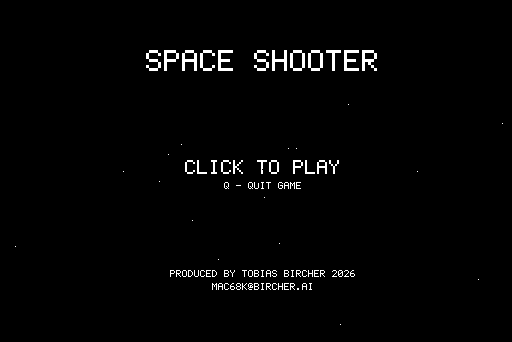
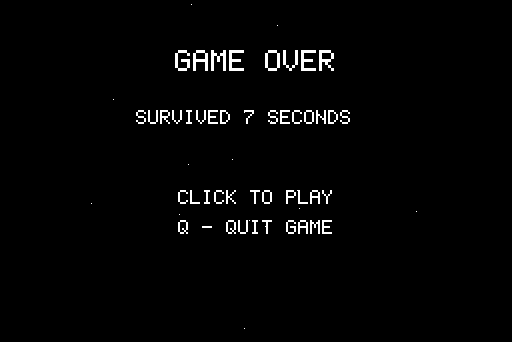
Screenshots from Mini vMac at the real speed of the machine.
spaceshoot.dsk : 400K MFS startup floppy "SpaceShoot" with System 3.2, Finder 5.3 and SpaceShoot; it boots straight into the game, the same disk as in the emulator.
Use it with a floppy emulator or a disk writer on a real Mac, or start it in Mini vMac or any other emulator of the first Macs.